Volume Shader BM Test — Methodology
How the benchmark works under the hood — modes, metrics, accuracy limits, and what this test is not.
Volume Shader BM Test is a small, transparent benchmark. This page describes exactly what it measures, the four test modes, the metrics in the result panel, and the cases where the number you see is not a fair comparison.
1. The rendering stack
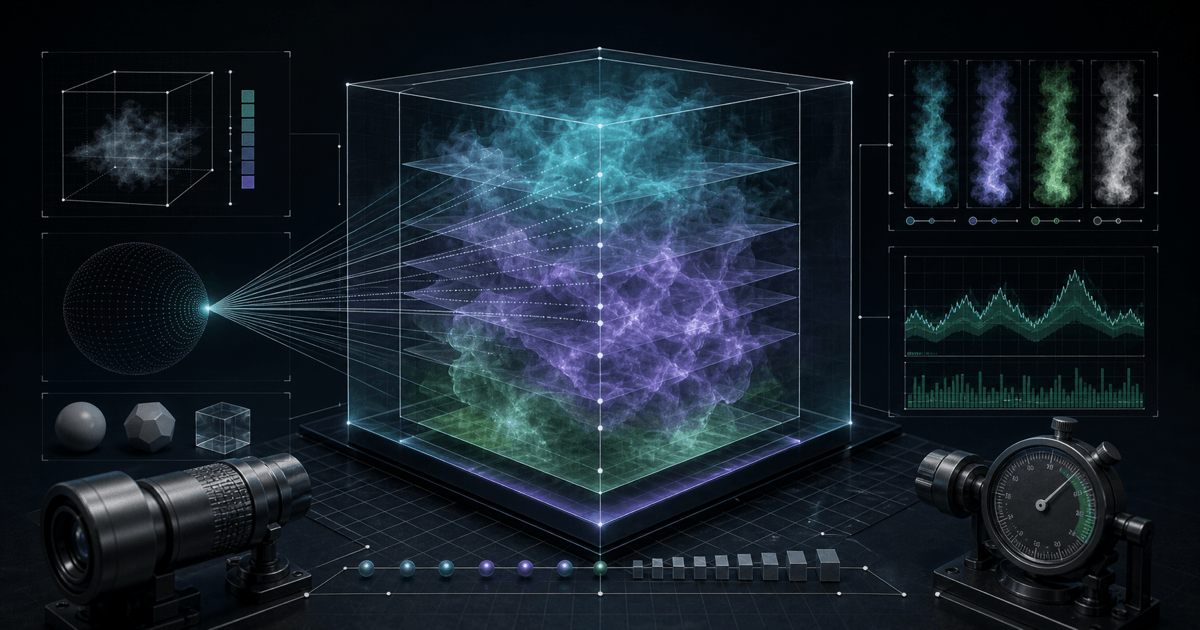
The test runs entirely in WebGL 2.0 through a single fragment shader. There are no native plugins, helper extensions or off-screen workers. A vertex shader draws two full-screen triangles; the fragment shader does the measured work for every pixel.
2. What the shader does — raymarching with SDFs
Instead of rasterizing polygons, the fragment shader uses raymarching with Signed Distance Fields (SDFs). For every pixel, the GPU casts a virtual ray from the camera and marches it forward in discrete steps until it either hits a surface defined by the SDF or exits the scene. Each step evaluates the full distance field — a large block of math that exercises the shader cores hard.
This is the same technique we go into deeply in our WebGL 2.0 raymarching deep dive.
3. Test modes
Four modes are available. They are not just resolution scales — each runs a different shader workload, which is why their scores cannot be compared directly:
- Light — up to 200 ray steps and solver level 8.
- Medium — up to 600 ray steps and solver level 8.
- Heavy — up to 1002 ray steps and solver level 8.
- Extreme — up to 1500 ray steps and solver level 12.
All presets use the displayed canvas resolution. Rays can exit before reaching the maximum step count.
4. Metrics
- Average FPS — frames per second across the full run, ignoring the very first second (see §6).
- Min / Max FPS — the worst and best 1-second window during the run.
- Frame time — milliseconds per frame. 60 FPS ≈ 16.7 ms; 30 FPS ≈ 33.3 ms.
- Stability — minimum 1-second FPS divided by maximum 1-second FPS, shown as a percentage. It describes variation during this run; it does not by itself prove thermal throttling.
The FPS result guide explains how to read these tiers in everyday terms.
5. Test modes can't be compared directly
Each mode has a different inner loop budget. A 45 FPS Light score and a 45 FPS Heavy score do not describe the same GPU work. When comparing two devices, always run the same mode on both, ideally with the same browser.
6. The first run is noisy on purpose
The first time the page loads, the browser compiles GLSL into a driver-specific binary. On some drivers this takes hundreds of milliseconds and shows up as a stutter at the start of the run. Discard the first result and use the second. For comparing devices, run twice on each.
7. Mobile results are affected by more than the GPU
Phone benchmarks are dominated by thermal headroom and OS power policy as much as raw GPU silicon. Battery saver / low-power mode, screen brightness, case material and even how the device is held will all change the score. For fair phone comparisons, plug in, disable battery saver, and prefer stability over peak FPS. See the phone GPU test guide for details.
8. What this test is not
Volume Shader BM Test measures shader ALU throughput on a synthetic workload. It is excellent for catching whether a browser, driver or device has lost a chunk of GPU compute. It is not:
- A substitute for a native benchmark like 3DMark, Geekbench GPU or GFXBench.
- A predictor of game FPS — games are dominated by draw calls and texture bandwidth, not shader ALU.
- A measure of memory bandwidth, ray tracing performance or video decode.
9. Privacy
All rendering, FPS counting and the local result summary happen in your browser. The benchmark does not upload hardware fingerprints, GPU IDs or scores. Optional Google Analytics loads only after consent; advertising scripts are currently disabled. See the Privacy Policy for details and consent controls.